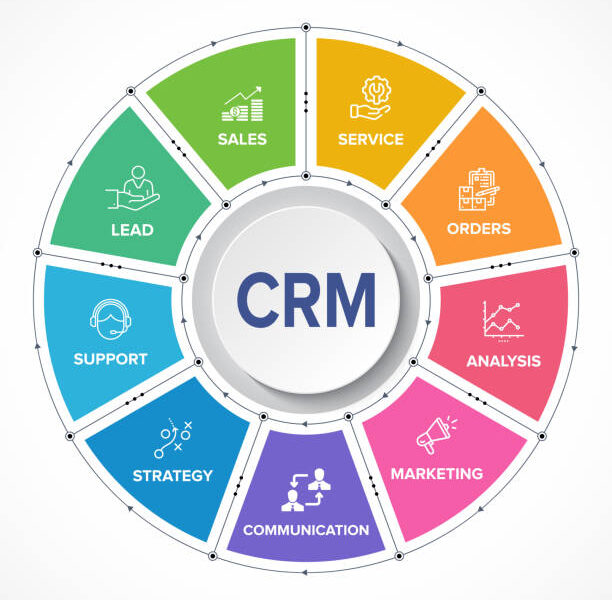
Cloud-Based CRM vs. On-Premises CRM: Which Is Right for You?
In today’s fast-paced business environment, choosing the right Customer Relationship Management (CRM) system is crucial for success. With various options available, businesses often find themselves weighing the benefits of cloud-based CRM solutions against traditional on-premises systems. This comprehensive guide will explore the differences between cloud-based and on-premises CRM, their respective advantages and disadvantages, and help you determine which option is best suited for your organization.
Understanding CRM Software
What is CRM Software?
Customer Relationship Management (CRM) software is a technology platform designed to help businesses manage their interactions with customers and potential clients. It centralizes customer data, tracks interactions, and provides insights into customer behavior. By utilizing CRM software, companies can improve their customer service, increase sales, and foster long-term relationships.
Importance of Choosing the Right CRM
Selecting the right CRM solution is critical for businesses of all sizes. The right system can enhance customer engagement, streamline sales processes, and provide valuable insights that drive decision-making. Conversely, an unsuitable choice can lead to inefficiencies, wasted resources, and missed opportunities.
Cloud-Based CRM Solutions
Overview
Cloud-based CRM solutions are hosted on remote servers maintained by a third-party vendor. Users access the software via the internet using a web browser or mobile app. This model has gained popularity due to its flexibility and ease of use.
Key Features of Cloud-Based CRM
- Accessibility: Users can access the system from any device with an internet connection.
- Automatic Updates: The vendor handles software updates, ensuring users always have access to the latest features.
- Scalability: Businesses can easily add users or features as they grow without significant upfront investment.
- Collaboration Tools: Team members can share information and work together in real time.
Benefits of Cloud-Based CRM
- Cost-Effective: Cloud-based solutions typically have lower upfront costs since there’s no need for expensive hardware or software installations.
- Reduced IT Burden: The vendor manages maintenance and security, allowing businesses to focus on core operations.
- Real-Time Data Access: Users can access up-to-date customer information from anywhere, improving responsiveness.
- Security Measures: Leading cloud providers implement advanced security protocols to protect data.
Drawbacks of Cloud-Based CRM
- Ongoing Costs: Subscription fees can add up over time and may become more expensive than a one-time purchase of on-premises software.
- Limited Customization: Cloud CRMs may offer fewer customization options compared to on-premises solutions tailored to specific business needs.
- Vendor Lock-In: Switching providers can be challenging due to data migration complexities.
- Data Privacy Concerns: Storing sensitive customer data on external servers raises privacy issues, especially in regulated industries.
On-Premises CRM Solutions
Overview
On-premises CRM solutions are installed locally on a company’s servers and managed by the organization’s IT team. This model provides businesses with complete control over their data and system configurations.
Key Features of On-Premises CRM
- Customization Options: Businesses can tailor the software to meet their specific needs and workflows.
- Data Control: Companies have full ownership of their data stored locally.
- Performance: Direct access to internal servers often results in faster data retrieval times.
Benefits of On-Premises CRM
- Complete Control: Organizations have full control over their systems, allowing for tailored configurations that suit their unique requirements.
- Enhanced Security: Storing data in-house can provide greater security for sensitive information, as businesses can implement their own security measures.
- No Ongoing Subscription Fees: After the initial investment in hardware and software licenses, ongoing costs may be lower compared to cloud solutions.
- Compliance Ease: Managing data storage in-house makes it easier to comply with industry-specific regulations regarding data privacy.
Drawbacks of On-Premises CRM
- High Initial Costs: Implementing an on-premises CRM involves substantial upfront expenses for hardware, software licenses, and IT infrastructure.
- Maintenance Responsibility: All system maintenance, updates, and troubleshooting fall on the company’s IT team, which can consume valuable resources.
- Limited Accessibility: Accessing the system remotely may be more challenging without a cloud infrastructure, reducing flexibility for remote teams.
- Scalability Challenges: Expanding the system or adding users may require additional hardware or IT resources.
Comparing Cloud vs. On-Premises CRM
Cost Comparison
When considering cost, cloud-based CRMs typically have lower initial expenses due to the lack of hardware requirements. However, ongoing subscription fees can accumulate over time. In contrast, on-premise CRMs require significant upfront investment but may result in lower long-term costs if managed effectively.
Customization Options
On-premise CRMs generally offer more extensive customization options compared to cloud solutions. Businesses that require specific functionalities tailored to their operations may find on-premise systems more appealing.
Accessibility and Mobility
Cloud-based CRMs excel in accessibility; users can access the system from anywhere with an internet connection. On-premise systems may restrict access to specific locations within the company’s network, limiting mobility for remote workers.
Security Considerations
While both models offer security measures, on-premise CRMs allow businesses greater control over their data protection protocols. However, leading cloud providers implement advanced security technologies that ensure robust protection against cyber threats.
Implementation Timeframe
Cloud-based CRMs are typically quicker to implement since there’s no hardware installation required. In contrast, on-premise systems may take longer due to server setup and configuration processes.
Making the Right Choice for Your Business
Choosing between cloud-based and on-premise CRM solutions depends on various factors unique to your organization:
1. Assess Your Business Needs
Evaluate your specific requirements regarding customization levels needed scalability expectations budget constraints team size technology infrastructure existing compliance regulations industry standards etc.
2. Consider Your Team’s Technical Expertise
If your organization lacks a dedicated IT team capable of managing complex systems then opting for a cloud-based solution might be more advantageous as it reduces reliance on internal resources while ensuring smooth operation through vendor support services available around clock.
3. Evaluate Long-Term Goals
Consider how each option aligns with your long-term business objectives including growth plans potential expansions into new markets product offerings etc., as this will influence which type best suits future needs over time!
4. Review Vendor Reputation
Research potential vendors thoroughly before making decisions; look into their track record reliability customer support responsiveness user reviews case studies demonstrating successful implementations similar organizations’ experiences!
Conclusion
Choosing between cloud-based versus on-premise Customer Relationship Management (CRM) systems requires careful consideration based upon understanding individual business needs evaluating costs assessing technical capabilities reviewing long-term goals analyzing vendor reputations among other factors discussed throughout this guide! Each option has its strengths weaknesses; ultimately selecting right fit will empower organizations enhance customer relationships streamline operations drive growth success long term!For additional information about selecting suitable tools tailored specifically towards improving customer relationship management consider exploring resources like CRM Software Solutions.